Introduction
In modern software development, speed and reliability are essential for delivering high-quality applications. Manual processes for building, testing, and deploying software are time-consuming, prone to errors, and can slow down development cycles.
Definition
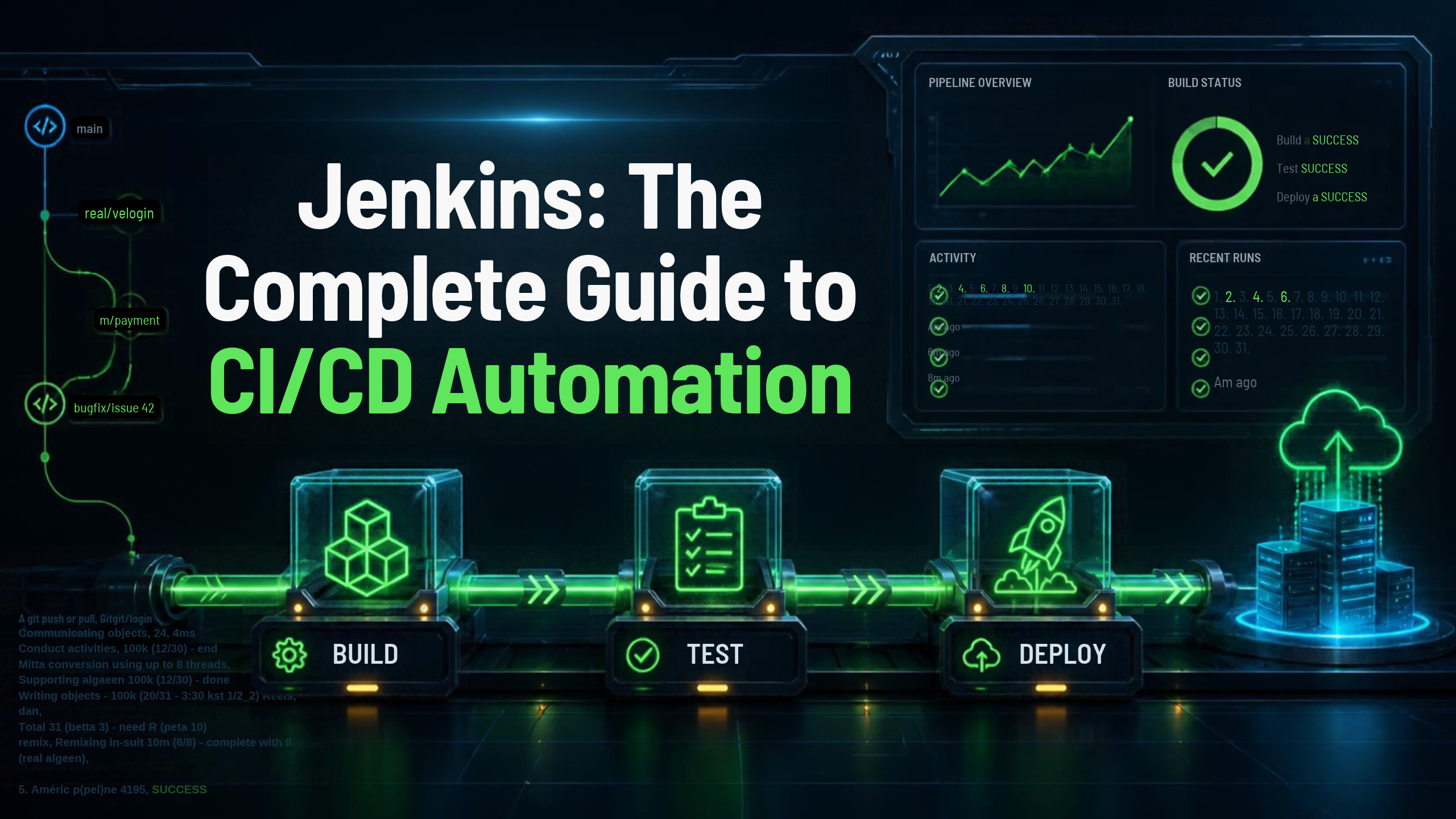
Jenkins is an open-source automation server developed in Java that enables developers to automate the building, testing, and deployment of software applications.
Jenkins supports Continuous Integration (CI) and Continuous Delivery/Deployment (CD) by integrating with version control systems, build tools, testing frameworks, cloud platforms, and deployment tools.
With thousands of plugins available, Jenkins can automate almost every stage of the software development lifecycle.
Architecture
+————————-+
| Developer |
| Git Commit/Push |
+———–+————-+
|
Git Repository
|
+———–v————-+
| Jenkins Controller |
|————————-|
| Web UI |
| Scheduler |
| Plugin Manager |
| Pipeline Engine |
+———–+————-+
|
———————————-
| | |
+——–v——-+ +——–v——-+ +——v——-+
| Jenkins Agent | | Jenkins Agent | | Jenkins Agent|
| Linux | | Windows | | Docker/K8s |
+——–+——-+ +——–+——-+ +——+——-+
| | |
Build Test Deploy
Working
Step 1: Developer Commits Code
Step 2: Trigger Jenkins Job
Step 3: Checkout Source Code
Step 4: Build Application
Step 5: Run Automated Tests
Step 6: Package Application
Step 7: Deploy Application
Step 8: Monitor Results
Advantages
1. Open Source
Free to use with a large community and ecosystem.
2. Extensive Plugin Ecosystem
Supports thousands of plugins for seamless integration.
3. Automation
Automates repetitive tasks such as builds, testing, and deployments.
4. Platform Independent
Runs on Windows, Linux, macOS, Docker, and cloud platforms.
5. Pipeline as Code
Stores pipeline definitions in version control using Jenkinsfiles.
6. Scalable
Supports distributed builds using multiple agents.
7. Strong CI/CD Integration
Integrates with Git, Docker, Kubernetes, Terraform, cloud platforms, and testing tools.
8. Improves Software Quality
Automated testing and continuous feedback reduce bugs and deployment failures.
Disadvantages
1. Initial Setup Complexity
Configuring Jenkins and its plugins can take time.
2. Plugin Management
Managing many plugins can lead to compatibility issues.
3. Maintenance Overhead
Jenkins servers require regular updates, backups, and monitoring.
4. User Interface
The default interface is functional but less modern than some newer CI/CD platforms.
5. Security Configuration
Improperly configured Jenkins instances can expose sensitive credentials or allow unauthorized access.
Tools
| Tool | Purpose |
| Jenkins | CI/CD Automation |
| Git | Version Control |
| GitHub | Source Code Hosting |
| GitLab | Source Code Management |
| Docker | Containerization |
| Kubernetes | Container Orchestration |
| Terraform | Infrastructure as Code |
| Maven | Java Build Tool |
| Gradle | Build Automation |
| SonarQube | Code Quality Analysis |
| Nexus Repository | Artifact Repository |
| JFrog Artifactory | Artifact Management |
| Ansible | Configuration Management |
| Prometheus | Monitoring |
| Grafana | Visualization |
| Slack | Notifications |
Interview Questions
1. What is Jenkins?
Jenkins is an open-source automation server used to automate software building, testing, and deployment.
2. What is Continuous Integration?
Continuous Integration (CI) is the practice of frequently merging code changes into a shared repository, where automated builds and tests verify code quality.
3. What is a Jenkins Pipeline?
A Jenkins Pipeline is a series of automated stages that define how software is built, tested, and deployed.
4. What is a Jenkinsfile?
A Jenkinsfile is a text file that defines a Jenkins pipeline using Groovy-based syntax and is stored in the source code repository.
5. What are Jenkins Agents?
Agents are machines that execute Jenkins jobs assigned by the Controller, enabling distributed and scalable builds.
Conclusion
Jenkins is one of the most powerful and widely adopted CI/CD automation tools in the DevOps ecosystem. Its flexibility, extensive plugin ecosystem, and support for Pipeline as Code make it ideal for automating software builds, testing, and deployments across diverse environments.
When integrated with Git, Docker, Kubernetes, Terraform, and cloud platforms, Jenkins enables organizations to deliver software faster, improve quality, and streamline development workflows. Mastering Jenkins is a valuable step toward becoming a successful DevOps Engineer or Cloud Engineer.
🚀 Master Jenkins with SecureFlow InfoTech Pvt. Ltd.
Become a skilled DevOps professional with hands-on Jenkins Training from SecureFlow InfoTech Pvt. Ltd.
What You’ll Learn
- Jenkins Fundamentals
- Installation and Configuration
- Jenkins Architecture
- Freestyle Projects
- Pipeline as Code (Jenkinsfile)
- Declarative & Scripted Pipelines
- Git Integration
- Maven & Gradle Integration
- Docker & Kubernetes Integration
- Terraform Integration
- Automated Testing
- CI/CD Pipeline Design
- Real-Time DevOps Projects
- Interview Preparation
Why Choose SecureFlow InfoTech Pvt. Ltd.?
- Certified Industry Trainers
- Hands-on Real-Time Projects
- Online & Offline Training
- Placement Assistance
- Resume Building and Mock Interviews
- Flexible Batch Timings
- Industry-Oriented Curriculum
Courses Offered
- DevOps (AWS, Azure & GCP)
- Jenkins & CI/CD
- Docker & Kubernetes
- Terraform & Infrastructure as Code
- Git & GitHub
- Cybersecurity (VAPT)
- Cybersecurity (SOC & SIEM)
- Azure Data Engineering
📞 Contact: +91 9133919666 | +91 9188494949
Automate your software delivery, master CI/CD, and advance your DevOps career with Jenkins training from SecureFlow InfoTech Pvt. Ltd.