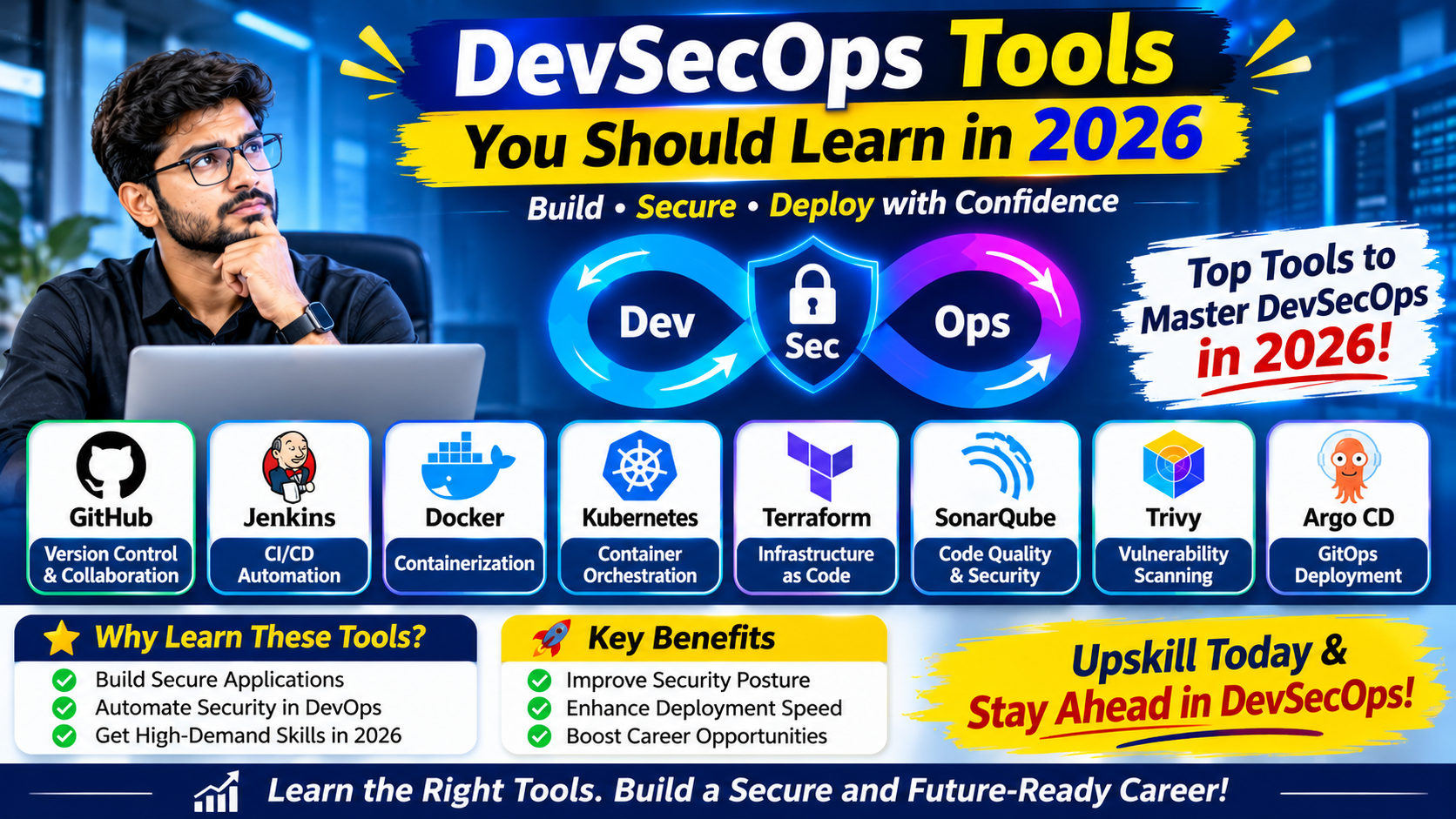
DevSecOps tools play an important role in securing modern software applications. Organizations use different tools to automate code analysis, vulnerability detection, dependency scanning, container security and cloud infrastructure protection. In 2026, DevSecOps professionals should understand not only individual tools but also how to integrate them into CI/CD pipelines. If you are planning to become a DevSecOps Engineer, learning the right tools is an important step.
DevSecOps tools are software applications and platforms used to automate security activities throughout the software development lifecycle.
They help development and security teams:
- Identify application vulnerabilities.
- Detect exposed credentials.
- Scan third-party dependencies.
- Secure Docker containers.
- Identify infrastructure misconfigurations.
- Automate security testing.
- Monitor production environments.
DevSecOps Tools Architecture
A typical architecture includes:
- GitHub/GitLab – Source code management.
- Jenkins – CI/CD automation.
- SonarQube – Static code analysis.
- Snyk – Dependency security.
- OWASP ZAP – Dynamic application testing.
- Trivy – Container and infrastructure scanning.
- Docker – Application containerization.
- Kubernetes – Container orchestration.
- AWS/Azure – Cloud infrastructure.
- Prometheus/Grafana – Monitoring.
Working of DevSecOps Tools
Consider a company developing an e-commerce application.
The security workflow can operate as follows:
Step 1: Source Code Management
Developers push application code into GitHub.
Step 2: CI/CD Automation
Jenkins automatically triggers a pipeline.
Step 3: Static Code Analysis
SonarQube or Semgrep identifies insecure coding patterns.
Step 4: Dependency Scanning
Snyk or OWASP Dependency-Check identifies vulnerable libraries.
Step 5: Container Security
Trivy scans Docker images for vulnerabilities.
Step 6: Dynamic Security Testing
OWASP ZAP tests the running application.
Step 7: Deployment
The approved application is deployed into Kubernetes or cloud infrastructure.
Step 8: Monitoring
Monitoring and security tools help identify operational and security issues.
Advantages
- Automated security testing.
- Faster vulnerability detection.
- Improved application protection.
- Reduced manual effort.
- Better CI/CD integration.
- Improved dependency management.
- Better container security.
- Continuous security validation.
Disadvantages
- Some tools require paid subscriptions.
- Tool integration can be challenging.
- False positives require manual investigation.
- Different tools may produce overlapping findings.
- Teams need expertise to interpret scan reports.
- Tools require regular updates.
Best Practices
- Learn one tool from each major security category.
- Integrate tools into real CI/CD pipelines.
- Understand scan reports instead of simply running scans.
- Prioritize critical vulnerabilities.
- Avoid exposing credentials in pipelines.
- Pin and verify third-party CI/CD actions.
- Regularly update security tools.
- Use security policies to manage deployment risks.
Top DevSecOps Tools to Learn in 2026
|
Tool |
Purpose | Learning priority |
|
Git |
Version control |
Essential |
|
Jenkins |
CI/CD automation |
Essential |
|
SonarQube |
SAST/code quality |
Essential |
|
Semgrep |
Static code analysis |
High |
|
Snyk |
Dependency and code security |
High |
|
Burp Suite |
Web application testing |
High |
|
OWASP ZAP |
DAST |
High |
|
Trivy |
Container and IaC scanning | Essential |
| Docker | Containerization |
Essential |
|
Kubernetes |
Container orchestration |
High |
|
Checkov |
Infrastructure security |
High |
|
Terraform |
Infrastructure as Code |
High |
|
Prometheus |
Monitoring |
Medium |
|
Grafana |
Visualization |
Medium |
Other important areas include SBOM generation, artifact signing, software supply-chain security and policy-as-code.
Tool selection should depend on the organization’s technology stack and security requirements. The current OWASP DevSecOps guidance provides a useful reference for selecting and integrating security controls.
Interview Questions
Q1. What is SonarQube used for?
SonarQube analyses source code to identify bugs, code quality issues and security vulnerabilities.
Q2. What is Jenkins?
Jenkins is an automation server used to implement CI/CD pipelines.
Q3. What is Trivy?
Trivy is a security scanner used for container images, filesystems, dependencies and infrastructure configurations.
Q4. What is Snyk?
Snyk helps identify and remediate security vulnerabilities in application code, open-source dependencies and infrastructure configurations.
Q5. What is the difference between SAST and DAST?
SAST analyses application source code without running it, while DAST tests a running application.
Q6. What is Checkov?
Checkov scans Infrastructure as Code configurations to identify security misconfigurations.
Conclusion
Learning DevSecOps tools is essential for anyone interested in modern application security and automation. However, becoming a DevSecOps professional does not mean learning 20 tools individually. You should understand the security concepts, learn the important tools and build practical CI/CD pipelines that demonstrate how they work together.
Want to learn industry-relevant DevSecOps tools?
Join SecureFlow Infotech for practical training covering CI/CD, security scanning, Docker, Kubernetes, cloud security and automation.
Contact: +91 9133919666 | +91 9188494949
Website: https://secureflowinfotech.com/